Documentation that
sits next to the work.
The reason nobody reads the wiki is that it lives in a different tool from the work it describes. Put the pages in the same place as the tickets and the threads, and they stay true.
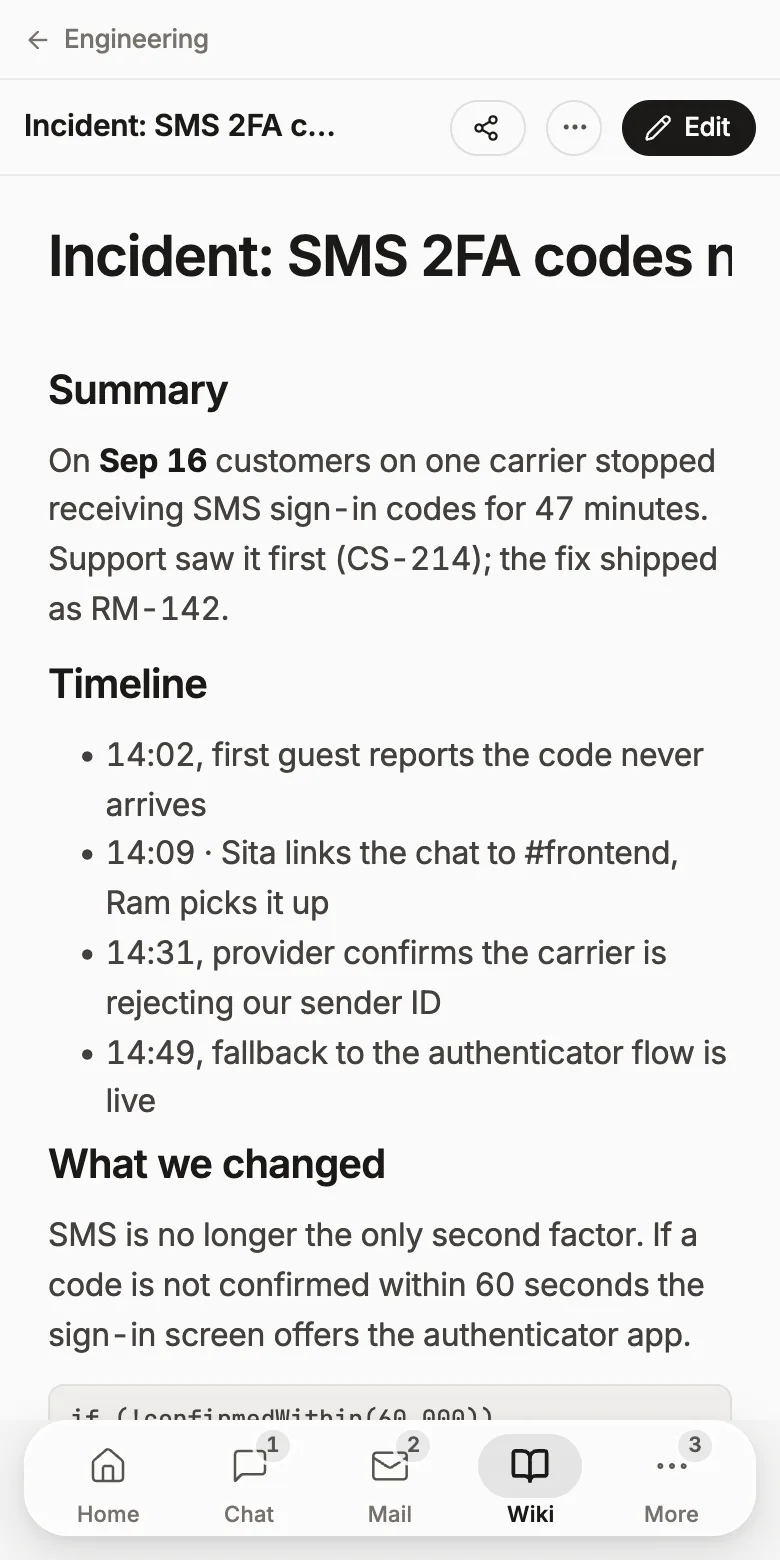
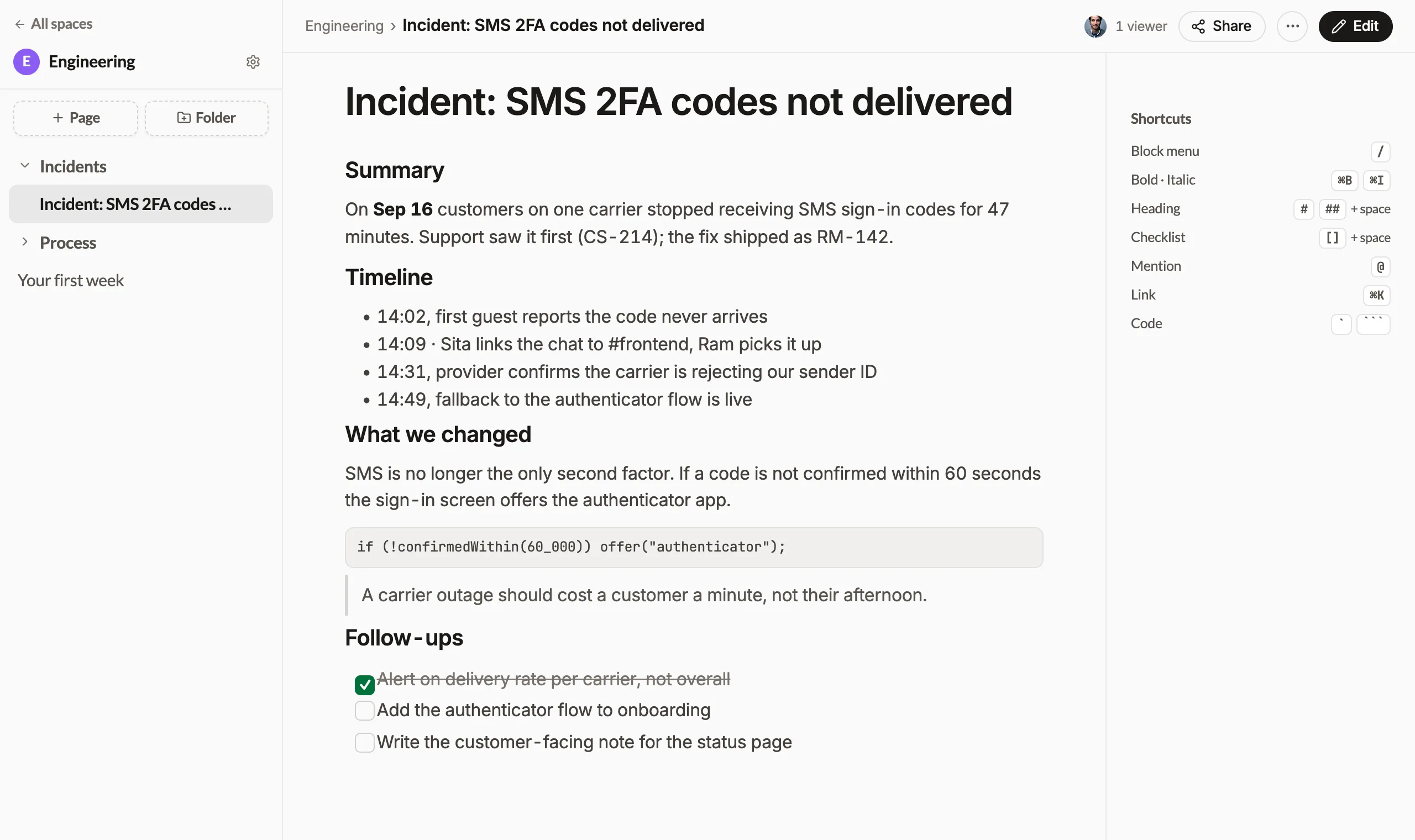
Two people, one page, no merge conflicts
The wiki runs on the same collaborative engine as the task description and the room notes: so a page behaves like a document everyone is in, not a file someone has checked out. Cursors carry names, edits land as they're typed, and nothing needs saving.
- Presence shown on the page, so you know who else is in it
- Double-click to edit. There's no separate edit mode to find
- History is kept, so an accidental delete is recoverable
An incident write-up that links to the incident
A runbook that references a ticket key nobody can click is how documentation dies. Here the page can point at the actual ticket, the actual sprint and the actual person: and when someone asks Roomie what happened, the page is one of the sources it cites.
- Mentions and ticket links resolve to real records
- The AI reads the wiki with your permissions, not a separate index
- Search covers wiki pages alongside chat, mail and tickets
Enough wiki to run on
Spaces, live editing, import and export, and none of it billed separately.
Spaces and folders
One space per team or per client, folders inside them, and permissions that follow the workspace rather than a separate sharing model.
Several cursors, one page
Two people write the same page at the same time and see each other's cursors. No “someone else is editing this”.
Tables, checklists, mentions
Rich enough for a runbook: tables with content in the cells, task lists, @mentions of real people and links to real tickets.
Import and export
Bring a Word document in, send a PDF out. The wiki you already have doesn't need to be retyped.
Pages that link to the work
A postmortem can point at the ticket, the sprint and the thread it came from, because they all live in the same workspace.
Your AI reads it too
Ask Roomie a question and the wiki is one of the places it answers from: cited, so you can open the page it used.
Roomie wiki vs Confluence
Confluence has a deeper macro ecosystem and a decade of enterprise templates. If your process depends on those, it wins.
Free for 3 users, then $2 per user a month (NPR 250 · eSewa, FonePay, Khalti). Every feature on this page included.
Self-hostingThe wiki, answered
Can several people edit a page at the same time?
Yes. Pages are collaborative: you see other editors' cursors and their changes as they type, and edits are saved continuously.
How is the wiki organised?
Into spaces, each with folders and pages. A space has its own members, so an engineering space and a company handbook can have different audiences.
Can I share a page with someone outside the workspace?
Yes. A page or a whole folder can be published as a read-only link, or shared by email with access you can revoke.
Can I import existing documents?
Yes. You can import documents into a page, and paste from other editors keeps headings, lists, tables and code blocks.
What does it cost compared with Confluence or Notion?
Roomie is free for up to 3 users. After that it is $2 per user per month (NPR 250 in Nepal), and that one price covers every part of the workspace. There is no separate charge for this.
The rest of the workspace
Every one of these is included, and they all know about each other.
A PM, sales rep or marketer that asks, then acts
Team chatThreads, huddles, and messages that become tickets
Custom domain emailUnlimited mailboxes on your own domain
CRMDeals, a shared inbox, quotes and invoices
Tasks & ticketingSprints, boards, releases and ticket types
Virtual officeSee who's around and walk up to them
Customer supportAn embeddable widget and a shared inbox
Website builderShip a site and a blog on your own domain
AI that read your workAnswers with sources, from every surface
MCP for AI agentsConnect Claude or ChatGPT to the workspace
Write the runbook where the work already is
Import what you have. Free for three people.