The five-second
conversation, back.
Remote teams lost the question you used to ask by turning round in your chair. The office is a floor plan of who's around, click a room and you're talking.
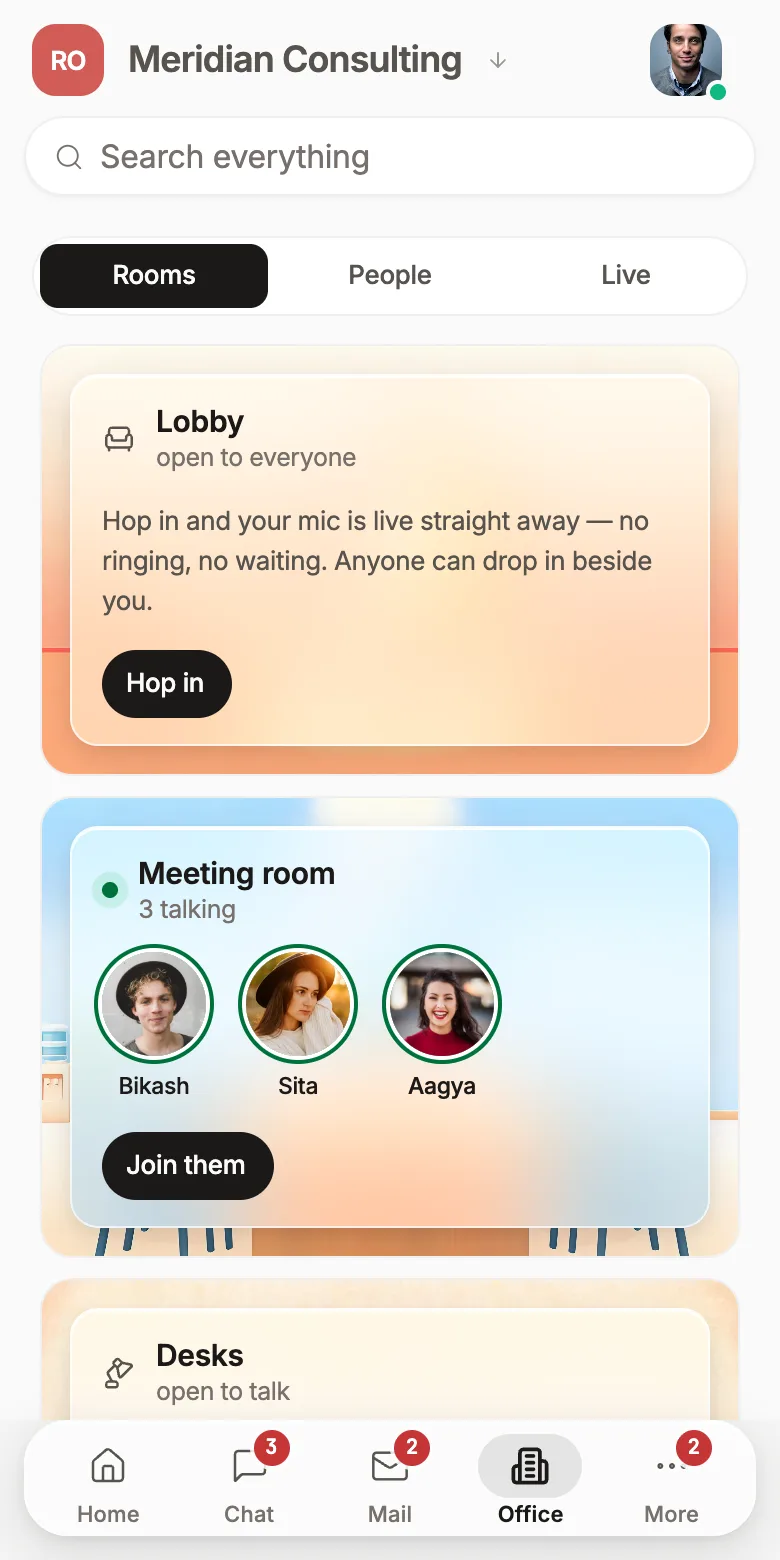
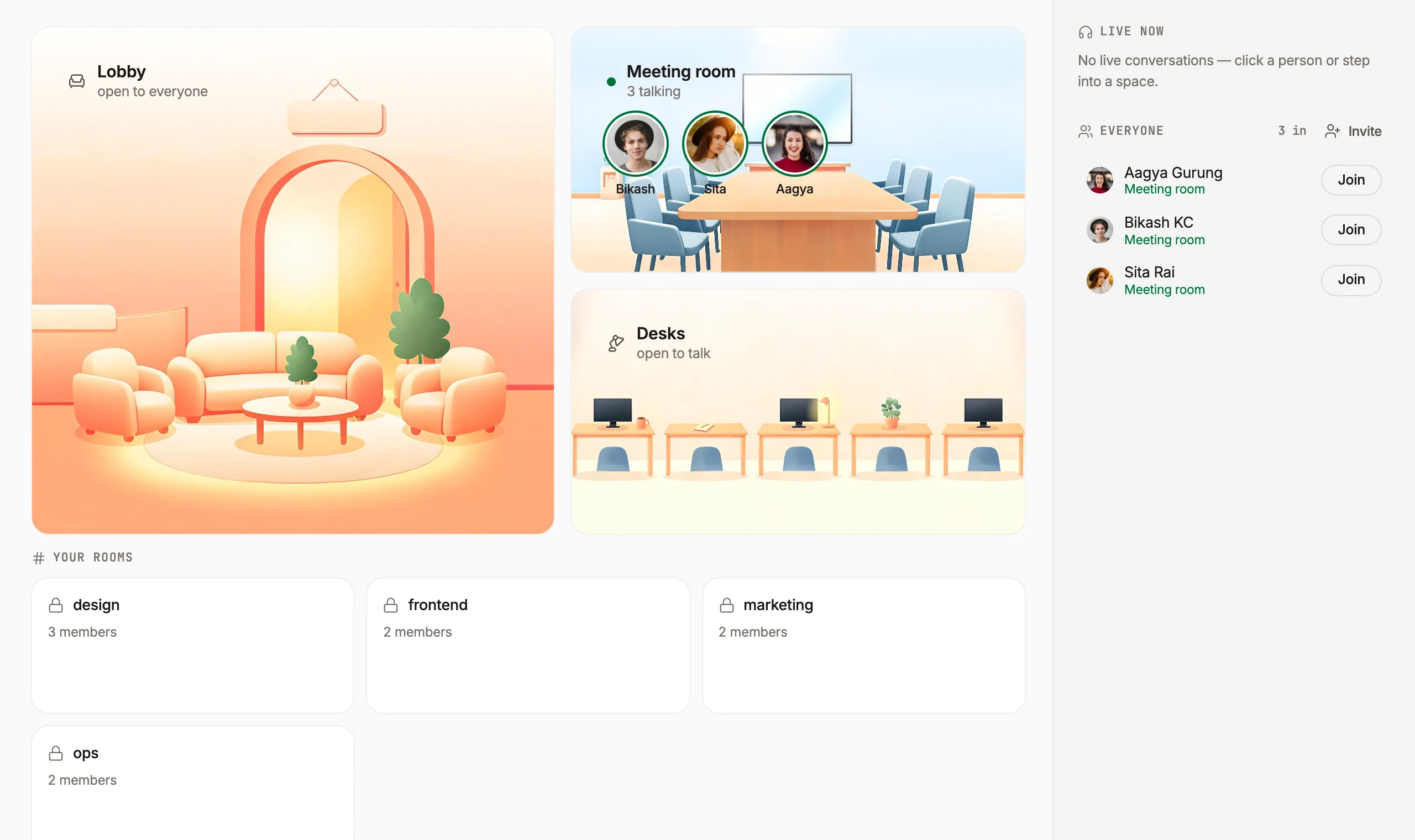
Scheduling a call to ask a 20-second question
In an office you glance over and ask. Remotely, that same question becomes a message, then a thread, then a calendar invite for Thursday. Most of the cost of remote work is in that conversion: small questions turning into big ceremonies, or simply not getting asked.
- No link, no lobby, no “can you hear me”
- You can see whether someone is mid-conversation before you interrupt
- Someone at a focus desk is visibly unavailable, and nobody has to police it
It shows who, never what
Every virtual office has to answer one question honestly: is this a presence tool or a monitoring tool. We show which room a person is in and whether they're speaking. We do not show activity levels, idle time, keystrokes, screenshots or what's on anyone's screen unless they choose to share it.
- No activity tracking, ever. It isn't a setting an admin can turn on
- Private spaces report that they're occupied, and nothing else
- “Enter quietly” puts you in the office without announcing you
- ✓Which room you're in
- ✓Whether you're speaking
- ✓Whether you're in a private space
- ✕What you're working on
- ✕How long you've been idle
- ✕What's on your screen
An office you'd actually leave open
Built around the three things that decide whether a presence tool gets used after week two.
Presence, not surveillance
A private space shows that someone is busy and never what they're doing. The office answers “can I interrupt” without answering “what are you working on”.
Walk-up conversation
Click a room and you're in it. No link to generate, no invite to accept, no waiting for someone to admit you.
Focus desks
Dashed, unfilled and obviously not a place to go. Sitting at one is how you say “not now” without typing it to five people.
Talking shows on the face
A green ring on the speaker's avatar, not a badge in a list, so you know who's talking without reading names.
Screen share that survives a weak connection
The stream steps down in frame rate before it steps down to nothing. Sharing from a laptop on home internet works.
Rooms that are actually private
Client rooms are locked and knockable. Access follows the same permissions as the rest of the workspace.
Roomie's office vs a meeting tool
Zoom is better than us at a 300-person webinar. It was never trying to solve the thing this solves.
For big external presentations, keep using whatever your clients expect. The office is for the team you work with every day.
Why we built a floor plan instead of a webcam grid
What we got wrong in three earlier attempts, and the one rule that made the fourth one work.
Read the write-up →Free for 3 users, then $2 per user a month (NPR 250 · eSewa, FonePay, Khalti). Every feature on this page included.
Self-hostingThe virtual office, answered
Is the virtual office an always-on webcam?
No. It is a floor plan, not a video wall. It shows who is around and who is talking to whom; your camera and microphone are only on when you join a conversation.
Can people see which private room I am in?
No. For private rooms the office shows that someone is in a private conversation, not which one. Only members of that room see it by name.
How do I start talking to someone?
Walk in. Joining the lobby or a meeting room puts you in the conversation immediately; you can also wave at someone at their desk to ask for a minute.
Do I need a separate meeting tool?
Not for day-to-day conversations. Rooms carry audio, video and screen sharing. Calendar events and external guests get a normal meeting link.
Is it included in the price?
Roomie is free for up to 3 users. After that it is $2 per user per month (NPR 250 in Nepal), and that one price covers every part of the workspace. There is no separate charge for this.
The rest of the workspace
Every one of these is included, and they all know about each other.
A PM, sales rep or marketer that asks, then acts
Team chatThreads, huddles, and messages that become tickets
Custom domain emailUnlimited mailboxes on your own domain
CRMDeals, a shared inbox, quotes and invoices
Tasks & ticketingSprints, boards, releases and ticket types
Customer supportAn embeddable widget and a shared inbox
Website builderShip a site and a blog on your own domain
Wiki & docsSpaces, pages and live co-editing
AI that read your workAnswers with sources, from every surface
Coding agentReads your repo, shows the diff, runs the check
MCP for AI agentsConnect Claude or ChatGPT to the workspace
Open the office tomorrow morning
Free for three people. Leave it open for a week and see whether the calendar gets quieter.