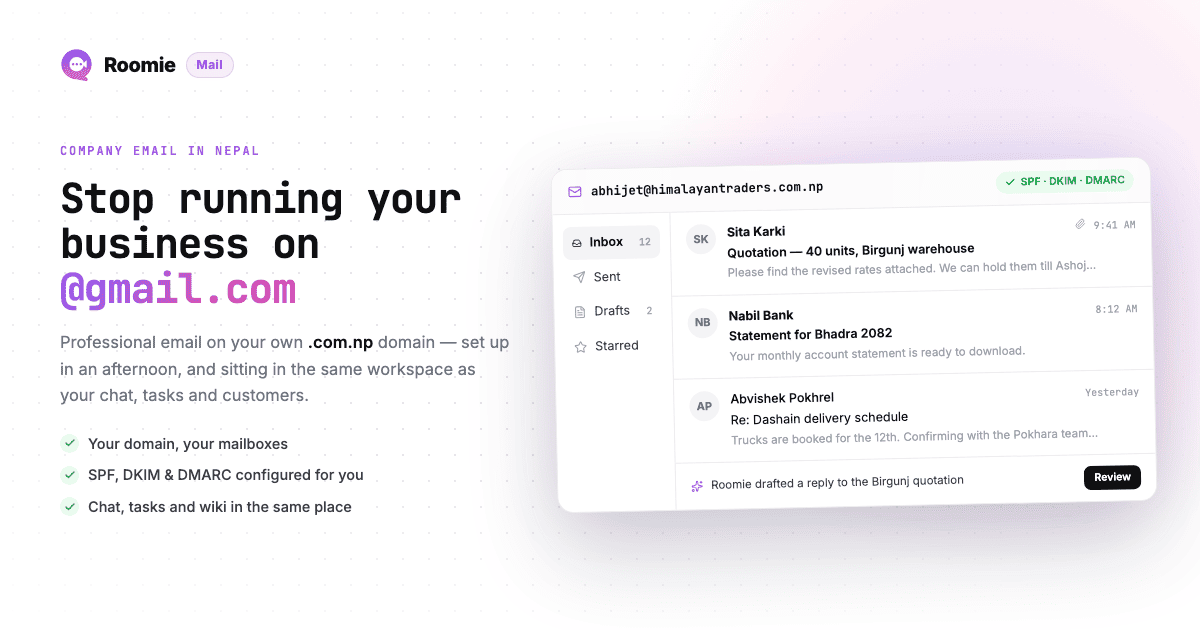
Almost every business in Nepal starts the same way: someone opens a Gmail account with the company name in it, and that becomes the official address. [email protected] goes on the business card, on the website, in the quotation you send to a buyer in Frankfurt.
It works right up to the point where it costs you something. A foreign client asks for your company email and you have to send that. A bank wants correspondence from a domain that matches your registration. An employee leaves and the inbox with three years of client history leaves with them.
Setting up proper company email in Nepal is a two-part job, and most guides only cover one half of it. Part one is getting the domain, which in Nepal means dealing with the .np registry and its document requirements. Part two is choosing who actually runs your mailboxes, which in Nepal means dealing with the fact that most of the big providers want a dollar card.
This guide covers both, start to finish.
What You Actually Need
Three things, in this order:
- A domain. Usually
yourcompany.com.npfor a Nepal-registered business, or a.comif you sell internationally and want the neutral look. - A mail provider. Somebody has to run the servers that hold your mail. Google, Microsoft, Zoho and Roomie all do this. Your web hosting company can too, with caveats.
- Four DNS records. MX, SPF, DKIM and DMARC. These connect the domain to the provider and keep your mail out of spam folders.
Budget a couple of hours of work spread over three or four days - most of that is waiting for the domain registry to approve your documents.
Part 1: Registering a .com.np Domain
The .np namespace is run by Mercantile Communications, and there is exactly one place to register: register.com.np. No reseller can sell you a .com.np domain directly. If someone quotes you NPR 1,500 a year for one, they are charging you a service fee to fill the form on your behalf.
The domain itself is free. Free to register, free to renew, for as long as you keep the registration valid. This is unusual and it is genuinely one of the better deals in Nepali business infrastructure.
Which extension to pick
- `.com.np` - for a registered company, firm or business. This is the default choice for most businesses.
- `.org.np` - for NGOs, INGOs and non-profits.
- `.edu.np` - for schools, colleges and universities.
- `.gov.np` - government bodies only.
- `.np` (the short one) - reserved for names that match a registered trademark or a personal name, and far harder to get approved.
- `.com` - not free, roughly NPR 1,500-2,500 a year through a registrar like Namecheap or Cloudflare, but instantly recognisable to foreign buyers. Plenty of Nepali exporters and IT firms run both:
.comfor clients abroad,.com.npfor local and government correspondence.
The documents you need
The registry checks that the domain name matches whoever is applying. Get these scanned and readable before you start:
For a company or firm:
- Company or firm registration certificate from the Office of the Company Registrar
- PAN or VAT certificate
- Citizenship copy of the person applying
- A cover letter on company letterhead, signed and stamped, requesting the domain
For an individual (the domain must be based on your own name):
- Citizenship certificate, passport, driving licence or voter's card
- NRN ID card if you are a non-resident Nepali
Upload limits are strict and they trip people up. The form takes jpg, png, jpeg, gif and svg files at a maximum of 800 KB each. If your scanner produces a 4 MB photo, compress it before uploading. Blurry scans are the single most common reason applications get rejected.
Sort out nameservers before you apply
This is the step nobody warns you about. The registration form asks for at least two nameservers, and if you don't have hosting yet you will sit there wondering what to type.
The fix is to set up your DNS host first, then apply:
- Create a free account at Cloudflare.
- Add
yourcompany.com.npas a site, even though you don't own it yet. Pick the free plan. - Cloudflare assigns you two nameservers - something like
dana.ns.cloudflare.comandrick.ns.cloudflare.com. - Put those two into the nameserver fields on the register.com.np form.
Now, when your domain is approved, DNS is already under your control in a panel that is fast, free and easier to use than anything else you will find. You will be back in it in Part 3.
Filling the form
- Search your name at register.com.np and confirm it is free.
- Create an account, verify your email, sign in.
- Fill the registration form: nameservers, administrative contact, technical contact. The technical contact is usually the same person.
- Upload your documents and the cover letter.
- Submit and wait.
Approval normally lands in one to three working days. If it is rejected, the email tells you why - usually an unreadable scan or a mismatch between the domain name and the registered business name. Fix and resubmit; there is no penalty.
A note on naming: the registry expects the domain to reflect your company name, product, service or brand. everestexports.com.np for Everest Exports Pvt. Ltd. sails through. A generic word unrelated to your registration usually doesn't.
Part 2: Choosing a Mail Provider
Here is the part that is genuinely different in Nepal. All of the global providers work here technically - none of them will refuse mail because your MX record is on a .com.np domain. The friction is billing.
Google, Microsoft and Zoho bill in USD and want an international credit card. Most small Nepali businesses don't have one, and the ones that do are dealing with foreign-currency limits and card-issuing hassle every renewal. Which is why an entire reseller industry exists here: companies that buy the licences and re-sell them to you in rupees, taking eSewa, Khalti, FonePay or a bank transfer, and issuing a VAT bill your accountant can file.
So in practice you have four real options.
Option 1: Google Workspace, through a Nepali reseller
The one everybody knows. Gmail's interface, Drive, Meet, Docs, and deliverability that is basically never the problem.
- List price: Business Starter is around $7 per user per month on annual billing, or roughly $8.40 month-to-month. At current rates that is somewhere around NPR 950-1,200 per user per month.
- In Nepal: resellers such as Bisup, Nest Nepal, Prabhu Host and Cheapmandu quote in NPR and take local payment. Quoted rates move around a lot - anywhere from roughly NPR 600 to NPR 1,200 per user per month depending on plan, term and the exchange rate on the day. Always ask what happens at renewal.
- Best for: teams that already live in Google Docs and Sheets, or anyone whose clients expect a Gmail-grade experience.
- Watch out for: you are two steps removed from support. If something breaks, you raise it with your reseller, who raises it with Google. Also, 30 GB on the entry plan gets eaten quickly by Drive.
Option 2: Microsoft 365, through a Nepali reseller
The right answer if your office already runs on Excel and Outlook, and if you deal with government offices or corporates that expect .docx and .xlsx files formatted exactly so.
- List price: Business Basic (web apps + email, no desktop Office) moved from $6 to $7 per user per month on annual billing from 1 July 2026, or $8.40 month-to-month. Business Standard, which includes the desktop apps, costs meaningfully more.
- In Nepal: Webtech Nepal, iDream Technologies, Nest Nepal and HexxOne all resell Microsoft licences in NPR.
- Best for: offices that need desktop Office anyway. If you are buying Office licences regardless, the email is close to free at the margin.
- Watch out for: the admin centre is genuinely complicated, and the licence names change every couple of years. Have your reseller do the initial tenant setup.
Option 3: Zoho, direct or through a reseller
Zoho is the cheapest of the international options by a wide margin, and unusually for a global vendor, it has a payment path that often works from Nepal directly.
- List price: Zoho Mail Lite is around $1 per user per month on annual billing ($1.25 monthly) with 5 GB per user. Zoho Workplace Standard, which bundles 30 GB mail with Cliq chat, WorkDrive and the office apps, is around $3 per user per month.
- Storage, credit where it is due: Zoho sells extra storage per user for about $1 a year per 10 GB, up to 200 GB for $20 a year, and you assign it to whichever individual user needs it. Nobody else's bill moves. This is the cheapest storage model of any provider on this list.
- In Nepal: WebsNP and Nest Nepal are authorised resellers quoting roughly NPR 449-585 per user per month for Workplace bundles, with eSewa and Khalti accepted.
- Best for: cost-sensitive teams who just want clean, ad-free mailboxes and don't need Docs or Drive.
- Watch out for: pick your data centre carefully at signup (India, US, EU) because the DNS records differ and you cannot change it later without a migration. The free tier, if it is still offered when you sign up, is web-only - no IMAP, so no Outlook or Apple Mail.
Option 4: Roomie Workspace
Roomie runs its own mail platform - mailboxes, sending infrastructure, authentication and spam control - and everything a team builds around email comes on the same plan at no extra cost.
The mail platform
- Mailboxes on your domain. One per user plus 5 aliases, 15 GB each, webmail, and IMAP/SMTP for anyone who prefers Apple Mail, Outlook or Thunderbird.
- Deliverability set up for you. SPF, DKIM and DMARC are generated at setup and verified in the dashboard - which is most of what decides whether your quotation reaches a buyer's inbox or their junk folder.
- Spam control per user. Filtering is tuned per person rather than one blunt setting for the whole company, and a whitelist means the supplier you deal with every day stops getting caught.
- Team addresses.
info@,sales@andaccounts@that several people work from, so a client enquiry is not sitting unread in the inbox of whoever is on leave. - Marketing campaigns. Send an offer, a seasonal announcement or a booking reminder to your whole customer list from your own domain, through the same authenticated setup as your staff mail - rather than paying a separate mailing tool in dollars.
- An email API and SMTP for developers. Invoices, OTPs, booking confirmations, password resets, automation triggers - sent from your own application, on your own domain, on the same infrastructure. No second vendor, no second domain reputation to keep clean.
- Migration from Gmail or Outlook over IMAP, so the old mail comes with you.
- Storage that scales per person. Another 15 GB is $2 a month charged to that one user - not the plan, not the org, not everybody's bill.
The part that is hard to get anywhere else: one AI with all of it in context
Your mail does not sit in its own silo. Ask Roomie AI "what is the update on the report from the client?" and it answers from the email thread, the chat channel, the wiki page and the project stories together, because all four live in the same workspace. An AI bolted onto an email product can only ever read the email. That is the difference, and it is the thing worth testing on your own data before you decide.
Everything else, on the same plan
- Team chat with channels for projects, clients and departments, and video huddles with no time limit - so the Monday standup and the client call do not need a separate meetings subscription.
- Docs and a wiki for price lists, delivery SOPs, warranty terms and the staff handbook.
- Projects, boards, sprints and stories, so the work an email creates gets assigned and tracked.
- Your whole digital presence, built with the AI. A website you can preview for free and publish on your own domain, with pages, brand colours, blog posts, SEO and listings for what you sell - trek packages, job openings, properties, menu items - plus a live customer-support widget on it: an AI agent that answers the common questions round the clock and hands off to a real person when it matters. A five-person company gets the online presence and the support cover of a much bigger one.
- Apps for iPhone and Android. Not a mail app - the whole workspace on the phone. The mail, the chat, the tasks and the AI, which matters when half your team is on a site visit in Pokhara or at a client's office rather than at a desk.
- Slide decks for the client pitch, built from what is already in the workspace and shared as a link.
- MCP for AI agents, so Claude or another agent works with your real mail, tasks and docs instead of pasted snippets.
- Price: $2 per user per month, about NPR 250 - one flat price with every feature in it. No Starter tier that withholds the API, no Premium tier that unlocks the good spam controls, no upgrade to reach the website builder. Free for up to 3 users, and website previews are free as well; publishing on your own domain is what the paid plan is for. The only things that scale with use are storage and AI credits, and both are pay as you go.
- Best for: teams of 2 to 50 that want professional email with real deliverability and spam control, and want their chat, docs, projects, website and support to come with it instead of as six more invoices.
- Practical note for Nepal: built and billed here - eSewa, FonePay, Khalti or bank transfer, NPR invoicing with a VAT bill, and support that answers in Nepal time.
- Watch out for: if you need enterprise eDiscovery, legal hold, or 500 mailboxes with complex delegation hierarchies, buy the enterprise product instead. This is built for small and mid-sized teams.
The bill nobody plans for: running out of storage
Every provider on this list quotes you a monthly price per user. What none of them put on the pricing page is what happens two years in, when one person's mailbox fills up. That is where the real difference in cost shows up, and the providers behave very differently.
Google Business Starter is the one to watch. The 30 GB is shared between Gmail, Drive and Photos, and Google no longer sells additional storage for Business Starter licences at all. There is no add-on to buy. The fix is upgrading to Business Standard at around $14 per user per month - double the Starter price - and Google's default path moves your whole domain, not just the person who ran out. One salesperson with a heavy attachment habit can double the bill for twenty people.
Microsoft 365 Business Basic gives you a 50 GB mailbox, which is the most headroom on this list at the entry level. Growing past it means an archiving add-on or a different Exchange plan, so it is a bridge you cross later rather than at signup.
Zoho handles this best of the international providers. Extra storage is roughly $1 a year per 10 GB, up to 200 GB for $20 a year, bought by the admin and assigned to individual users.
Roomie includes 15 GB per user, and another 15 GB costs $2 a month for that user only. Same principle as Zoho: the person who needs the space pays for the space. The plan itself never changes - there is one price with every feature in it, and the only things you buy as you grow are storage and AI credits.
The rule to take away, whichever you pick: before you sign up, ask what a full mailbox costs. If the honest answer is "you upgrade everybody's plan", price that in from day one, because it will happen.
The option people ask about: email from your web host
Most Nepali hosting companies include cPanel mailboxes with a hosting plan, and technically that is company email. It is also the cheapest possible answer, sometimes bundled at no extra cost.
Be honest with yourself about what you are getting. Shared hosting IPs are shared with hundreds of other sites, and when one of them sends spam, your mail gets caught in the blast radius. Deliverability to Gmail and Outlook inboxes is the weak point, and it is exactly the thing you cannot afford to have go wrong when you are quoting a foreign buyer. Roundcube webmail is also a rough experience next to Gmail.
Fine for noreply@ on your website contact form. Not what you want for the address on your business card.
Start with email. Then look at the rest of the bill.
If mailboxes on your domain are all you will ever want, buy Zoho Mail Lite and stop reading. A dollar per user, ad-free, reliable, cheaper than everything else here including Roomie. On that requirement it is a serious product and it wins.
The moment the requirement is bigger than mailboxes, the comparison changes completely - and for most companies it is bigger. Say you have 10 employees and you need email, team chat, meetings and task management. Not an ambitious wishlist; the ordinary equipment of an ordinary business.
Assembled from the usual products, at list prices before any reseller discount:
- Google Workspace Business Starter, $7 per user - $70 a month
- Slack Pro, $7.25 per user - $72.50 a month
- Jira Standard, $7.91 per user - $79 a month
- Zoom Pro for two hosts - about $28 a month
That is roughly $250 a month for ten people, across four vendors, four renewal dates, four admin consoles and four support queues to chase when something breaks.
The tidiest rival stack is Zoho's own: Workplace Standard at $3 plus Zoho Projects at $5 comes to $80 a month for the same ten people, across two products.
Roomie is $20 a month. Ten people, one product, one bill - email, chat, video huddles, tasks, wiki, customer support and your website, because there are no feature tiers to climb and no module sold separately.
That is the comparison worth making. Not "cheaper email" - the same requirement, priced honestly, on one line instead of four. If you want the provider-by-provider version without the Nepal specifics, see our comparison of custom domain email services, and the full pricing breakdown for what the flat price includes.
What the mailbox is attached to
Price is the easy thing to compare, which is why most comparisons stop there. The question that actually decides how your team feels about email a year later is what the inbox is connected to.
All four run real mail. What differs is what the mailbox is joined up with. On Google and Microsoft it is a document suite. On Zoho Mail it is nothing, until you buy the other Zoho apps and wire them together. In Roomie the following ship with the mailbox on the same plan, at no extra cost:
- An email API and SMTP relay. Invoices, OTPs and booking confirmations sent from your own application on your own domain, through the same authenticated infrastructure as your staff mail - instead of a separate transactional-email account with its own bill and its own domain reputation.
- Spam filtering per user, with a whitelist API, so the supplier you deal with every day stops landing in junk.
- Team addresses.
info@,sales@andaccounts@that several people work from, instead of one person's mailbox with forwarding rules bolted on. Anyone with access sees the thread and who replied. - Marketing campaigns from the same domain. An offer or a seasonal announcement to your whole customer list, sent through the same authenticated setup as your staff mail - no separate mailing tool billed in dollars.
- A thread becomes a task. The quotation from Birgunj turns into an assigned task with a due date, on the board the team already uses, still linked to the email it came from.
- One AI with all of it in context. Ask what the update on a client's report is and the answer comes from the email thread, the chat channel, the wiki and the project stories at once. An AI bolted onto an email product can only ever read the email.
- Video huddles with no time limit. The call that follows the email thread happens where the thread is, without a meetings tool billed per host.
- A wiki next to the inbox. Price lists, delivery SOPs, warranty terms. When someone drafts a reply, the answer is one workspace away instead of in a WhatsApp group.
- Customer support in the same queue. The live-chat widget on your website and
support@land in one place, so a customer question is not split across two tools. - Apps for iPhone and Android carrying the whole workspace, not just the inbox - plus a calendar and IMAP/SMTP for the people who will never give up Apple Mail or Outlook.
- Your website, in the same place. Build and publish the company site from the workspace - pages, blog posts, your brand colour, SEO - and list the things you sell as collections: trek packages, job openings, properties, menu items. The enquiry form on that site writes back into the workspace, so a lead lands where the team already is.
- Decks without a design tool. Turn a page into a full-screen slide deck and send it as a link. The partner pitch gets built from information you already have rather than retyped into PowerPoint.
- MCP for AI agents. Connect Claude or another agent to the workspace and it works with your real tasks, docs and mail rather than pasted snippets.
- 5 aliases per user, so one person can hold
sabina@,bookings@andorders@without paying for three mailboxes.
Side by side
Same five options, on the things that actually differ:
- Google Workspace (Business Starter) - Custom domain: yes. Paying from Nepal: through a reseller in NPR, or a dollar card direct. Storage: 30 GB shared with Drive, and no add-on is sold - more space means upgrading the plan. Sending API for your own apps: no, buy a separate service. Beyond email: Docs, Drive, Meet. From about $7 per user per month.
- Microsoft 365 (Business Basic) - Custom domain: yes. Paying from Nepal: through a reseller in NPR. Storage: 50 GB mailbox, the most headroom at entry level; growing past it means an archiving add-on. Sending API: no. Beyond email: Teams and the web Office apps. From about $7 per user per month.
- Zoho (Mail Lite or Workplace) - Custom domain: yes. Paying from Nepal: resellers in NPR, and Zoho's own checkout often works. Storage: 5 GB on Mail Lite, 30 GB on Workplace Standard, with per-user add-ons from about $1 a year per 10 GB - the cheapest storage on this list. Sending API: a separate Zoho product. Beyond email: Cliq and WorkDrive on Workplace; Projects costs extra. From $1 per user per month.
- Roomie Workspace - Custom domain: yes. Paying from Nepal: eSewa, FonePay, Khalti or bank transfer, NPR invoicing with a VAT bill. Storage: 15 GB per user, another 15 GB for $2 a month charged to that user alone. Sending API: included - SMTP relay and an email API on the same plan. Beyond email: chat, video huddles, tasks, wiki, customer support and a website builder, all in the flat price. $2 per user per month.
- cPanel mail from a Nepali host - Custom domain: yes. Paying from Nepal: yes, often bundled with hosting. Storage: whatever the plan gives. Sending API: no. Beyond email: nothing. Deliverability is the catch - shared IPs mean your mail carries other people's reputation.
Picking, in one line each
- Your documents and files already live in Google Docs and Drive → Google Workspace via a reseller
- Your work happens in desktop Excel and Outlook → Microsoft 365 via a reseller
- You want mailboxes and nothing else attached to them → Zoho Mail
- You need email plus chat, meetings and tasks for the whole team - a full mail platform with per-user spam control, campaigns and a sending API, and the rest of the workspace on the same flat price → Roomie Workspace
- You only need a contact form on the website → whatever your host gives you
Part 3: Connecting the Domain to the Provider
Whichever provider you picked, the mechanism is identical. You add DNS records at Cloudflare (or wherever your nameservers point) and the provider verifies them.
What the four records do
- MX tells the internet which server receives mail for your domain. Without it, nothing arrives.
- SPF is a TXT record listing which servers are allowed to send mail as your domain. Without it, anyone can forge your address.
- DKIM is a cryptographic signature on outgoing mail, verified against a public key you publish in DNS.
- DMARC tells receiving servers what to do when SPF or DKIM fails - report it, quarantine it, or reject it.
Skipping SPF and DKIM is the single most common reason a new company domain lands in spam. Do all four. If you want the click-by-click version with screenshots, we wrote that up separately in the custom domain email setup guide.
The records, by provider
Google Workspace
- MX:
@→smtp.google.com, priority 1 - SPF (TXT on
@):v=spf1 include:_spf.google.com ~all - DKIM: generate the key in Admin console → Apps → Google Workspace → Gmail → Authenticate email, then publish it as a TXT record on
google._domainkey
Microsoft 365
- MX:
@→yourcompany-com-np.mail.protection.outlook.com, priority 0. Note the dots in your domain become hyphens -yourcompany.com.npbecomesyourcompany-com-np. - SPF (TXT on
@):v=spf1 include:spf.protection.outlook.com -all - CNAME:
autodiscover→autodiscover.outlook.com - DKIM: two CNAMEs,
selector1._domainkeyandselector2._domainkey, with values from the Microsoft 365 Defender portal
Zoho
- MX:
@→mx.zoho.com(10),mx2.zoho.com(20),mx3.zoho.com(50) - substitute the.inor.euhostnames if you signed up on the India or EU data centre - SPF (TXT on
@):v=spf1 include:zoho.com ~all - DKIM: TXT on
zoho._domainkeywith the key from the Zoho admin console
Roomie
Open Mail settings → Domains, add your domain, and Roomie generates all four records with the values filled in. Copy them across.


DMARC, for everyone. Add a TXT record on _dmarc and start gently:
v=DMARC1; p=none; rua=mailto:[email protected]p=none means "watch and report, don't block anything". Run it for a few weeks, confirm nothing legitimate is failing, then tighten to p=quarantine. Jumping straight to p=reject on day one is how companies accidentally block their own invoices.
Adding the records at Cloudflare
Log in, pick your domain, go to DNS → Records, and add each one. Two things to get right:
- Proxy status must be DNS only - the grey cloud, never the orange one. The orange cloud proxies web traffic through Cloudflare and it breaks mail delivery. This is the most common Cloudflare mistake by a distance.
- Set TTL to Auto or 300 while you are testing, so mistakes correct themselves quickly.
If your nameservers are still at register.com.np, you can add records in the registry's own DNS panel - it works, it is just more basic. To move to Cloudflare later, edit the nameservers on your domain's page in the register.com.np dashboard.
Verify and create mailboxes
Give it 5 to 30 minutes, then hit verify in your provider's console. dnschecker.org is useful for confirming records have propagated. Occasionally it takes a couple of hours; if it takes more than a day, something is typed wrong.
Then create the addresses. A sensible starting set for a Nepali business:
info@- the address on your website, your Facebook page and your business cardsales@orbookings@- depending on what you sellaccounts@- for PAN, VAT and bank correspondencesupport@- if you have customers who need help after they buy- one personal address per staff member:
sabina@,rajesh@
Keep info@ and accounts@ as shared inboxes rather than one person's private mailbox. When that person is on leave in Pokhara, the invoices still get seen.

Mistakes That Cost Nepali Businesses Time
Leaving the old MX records in place. If your host set up cPanel mail earlier, its MX record is still there. Two sets of MX records means mail splits unpredictably between them. Delete the old ones.
Two SPF records. You are allowed exactly one SPF TXT record per domain. If you use a separate service for newsletters or invoices, merge it into the existing record as another include: rather than adding a second line.
Sending 500 cold emails on day one. A brand-new domain with no sending history that suddenly blasts a mailing list looks exactly like a spam operation. Send 20 to 50 a day for the first week or two, mostly to people who reply.
DNSSEC left on during setup. If DNSSEC is enabled at the registry and you are moving nameservers, records can fail to resolve. Turn it off, complete the move, turn it back on.
Nobody owns the renewal. Free doesn't mean automatic. The registry emails the administrative contact before expiry - if that address is a former employee's, you will find out the hard way. Use a shared admin@ or accounts@ address as the registry contact, and put the renewal date in a shared calendar.
Paying a reseller and never seeing the console. Make sure the admin account for your Google, Microsoft or Zoho tenant is in your company's name, with your password. Some resellers set it up under their own account, and getting it back later is painful.
Frequently Asked Questions
What is the best email hosting for a small business in Nepal?
It depends on what you need attached to the mailbox, and any answer that skips that question is selling you something. If you want mailboxes and nothing else, Zoho Mail is the cheapest credible option. If your work already lives in Google Docs or desktop Excel, buy Google Workspace or Microsoft 365 through a Nepali reseller. If you need email plus chat, meetings, tasks and a website for a team of ten, one flat price beats assembling four subscriptions - that is the case Roomie is built for.
Is Google Workspace available in Nepal?
Yes. It works normally on a .com.np domain and nothing about Nepal is blocked. The friction is billing: Google charges in USD and wants an international card, which is why most Nepali businesses buy it through a local reseller who invoices in NPR and accepts eSewa, Khalti or a bank transfer.
What is the difference between free Gmail and a business email?
Four things, and only the first is cosmetic. The address carries your domain instead of gmail.com. The account belongs to the company, so when someone leaves you keep the mailbox and the client history rather than losing both. You can authenticate the domain with SPF, DKIM and DMARC, which is what keeps your quotations out of spam folders. And an admin can create, suspend and reassign addresses instead of chasing a former employee for a password.
How much does a .com.np domain cost in Nepal?
Nothing. Registration and renewal are both free through register.com.np. What you pay for is the mail service on top of it, and optionally a service fee if you ask someone to handle the paperwork for you.
Can an individual register a .com.np domain?
The registry accepts individual applications with citizenship, passport, driving licence or voter's card - but the domain has to be based on your own name. If you want a business name, register the business first and apply with the registration certificate and PAN.
How long does approval take?
One to three working days in normal circumstances. Rejections are usually about document quality, so scan cleanly, keep each file under 800 KB, and make sure the name on the form matches the name on the certificate.
Do I need Nepali hosting to use a .com.np email address?
No. The domain and the mailbox are separate things. Your domain can be registered in Nepal, DNS at Cloudflare in the US, and your mail on any provider anywhere. Nothing requires them to be in the same place.
Can I use Gmail with a .com.np domain?
Yes. Google Workspace works with any valid domain, .com.np included. What you cannot do is use a free personal Gmail account for it - free Gmail does not support custom domains for receiving mail.
Is there a free option?
For a very small team, yes. Roomie is free for up to 3 users on your own domain. Zoho has historically offered a free tier for up to 5 users, though it is web-only and the terms change, so check their pricing page before planning around it. Beyond that, expect to pay per mailbox.
Can I move from Gmail later without losing mail?
Yes, and the safe order matters: set the new provider up, verify the DNS records, import your old mail over IMAP, test it, and only then switch the MX record across. Mail keeps flowing to the old inbox until the MX changes, so there is no gap.
Can I send email from my own website or app?
Yes, if your provider gives you a way to. Roomie includes an email API and SMTP relay on the same plan, so order confirmations, OTPs and invoices go out from your own domain through the same authenticated setup as your staff mail. With Google Workspace or Microsoft 365 this is normally a separate transactional-email vendor - another subscription, another dollar card, and another domain reputation to keep clean.
Will I get a VAT bill in NPR?
From a Nepali reseller or from Roomie, yes - ask for it at the time of purchase. Paying Google or Microsoft directly with a card gives you a USD invoice, which your accountant can still file, but it is more work.
What if my domain name is already taken?
Check WHOIS on register.com.np to see if it is genuinely registered. If it belongs to a business with a legitimate claim, pick a variation. If someone has registered a name matching your registered trademark, the registry has a dispute process - contact them with your trademark documents.
The Short Version
- Set up a free Cloudflare account and grab your two nameservers.
- Apply at register.com.np with your company registration certificate, PAN and a signed cover letter. Wait one to three days. Pay nothing.
- Pick a provider on the whole requirement, not the mailbox: Google or Microsoft if your work lives in their document suite, Zoho if mailboxes are genuinely all you need, Roomie if you also need chat, meetings, tasks and a website - ten people is $20 a month with all of it in. Ask each one what happens to the bill when a mailbox fills up.
- Paste four DNS records into Cloudflare, grey cloud only.
- Create
info@,accounts@,support@and one mailbox per person. - Put the renewal date in a shared calendar under an address nobody takes with them when they leave.
An afternoon of work and, at NPR 250 a user, less per month than one plate of momo per person. There is no good reason for a registered Nepali business to still be quoting foreign clients from a Gmail address.
Setting this up and something isn't verifying? Write to us at [email protected] - we answer in Nepal time.